How Many Tasks Does a Multi-Step Zap Use?
A multi-step Zap does not have one fixed task cost. Under current rules, you count the billable action steps that complete successfully in each run, add special cases such as replays or Lead Router activity, and multiply by how many events or runs follow that execution path. Triggers never use tasks. On current plans, documented control and utility exemptions include Filter, Paths, Formatter, Delay, and Looping, but ordinary actions they route to or repeat still can use tasks. A two-action Zap that succeeds for each of ten events uses 20 tasks; a branching Zap needs a path-by-path estimate.
Official documentation checked on 7 August 2026: Zapier’s task-usage measurement guide, key-concepts guide, and plan-improvements documentation.
What makes a Zap multi-step — and why step count is not task count
Zapier’s key-concepts documentation defines a single-step Zap as one trigger and one action. A Zap becomes multi-step the moment it has more than one action, or includes a Filter or a Search step, even if some of those steps never generate a task. That definition matters because it means “multi-step” describes the shape of the Zap, not its billing total — a five-step multi-step Zap could use anywhere from zero to several tasks per run depending on which steps run and succeed.
Do not imply that every listed step in a multi-step Zap uses a task. A trigger, a Filter, a Paths step, and a Formatter transform can all sit inside a multi-step Zap and contribute zero tasks between them, while the ordinary action steps around them are what actually bill.
Current task-counting rule: included versus exempt
| Included (uses tasks) | Exempt (no tasks) |
|---|---|
| Successful action steps | Triggers, including polling checks |
| Successful steps inside an error-handler path | Filter and Paths steps |
| Steps that rerun successfully during a full Zap replay | Formatter, Delay, Looping, Sub-Zap app, Digest, Zapier Manager, and Storage steps |
| Action steps and the Call/Return steps inside a sub-Zap | Zapier Tables and Zapier Forms steps |
| A search action set to proceed if nothing is found (1 task) | A search action set not to proceed if nothing is found |
The legacy-plan caveat applies where Zapier’s plan-improvement announcements require an update: Filter, Formatter, Paths, Delay, Looping, Sub-Zap, Digest, Zapier Manager, Storage, and Zapier Tables. The current task-usage guide separately lists Zapier Forms among no-task features. Check the account’s actual plan state instead of applying every current-plan exemption to a grandfathered account automatically.
Official two-action example
Zapier’s own documentation walks through a Zap that triggers on a new Gmail attachment, uploads it to Dropbox, then sends a Slack message linking to the file. Both actions succeeding for one event automates two tasks: 1 Dropbox + 1 Slack = 2 tasks. For ten equivalent events, the documented arithmetic scales directly: 10 × 2 = 20 tasks. This is the cleanest baseline case because every step after the trigger is an ordinary successful action with no branching or exempt utility steps involved.
Filter/Formatter/Path synthetic model
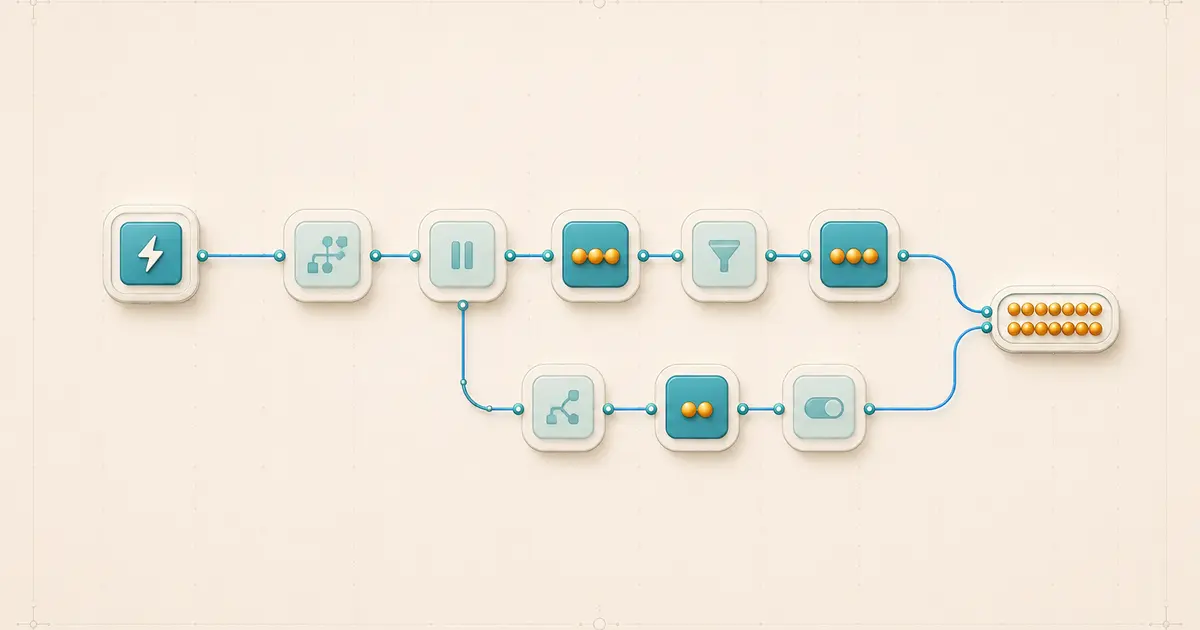
Add control and utility steps to the baseline case with a synthetic, current-plan Zap: trigger → Filter → Formatter → CRM action → one chosen Path branch containing a single email action.
Passing case: the trigger event passes the Filter, the Formatter step reshapes a field, the CRM action succeeds, and the chosen Path branch’s email action succeeds. 0 Filter + 0 Formatter + 1 CRM + 1 email = 2 tasks for that event, since the control and formatting steps are exempt and only the two ordinary actions bill.
Stopped case: the same event fails the Filter’s condition. The Formatter, CRM action, and Path branch never run, so the event uses 0 tasks. Both figures are synthetic arithmetic built for illustration, with no account or plan claim attached — verify comparable runs in your own Zap History.
Branch-weighted monthly model
Real Zaps rarely process every event identically. Model a month with 1,000 trigger events, where 600 stop before reaching any billable action, 300 follow a two-action path, and 100 follow a three-action path:
| Path | Events | Billable actions per event | Estimated tasks |
|---|---|---|---|
| Stopped before any action | 600 | 0 | 600 × 0 = 0 |
| Two-action path | 300 | 2 | 300 × 2 = 600 |
| Three-action path | 100 | 3 | 100 × 3 = 300 |
600 × 0 + 300 × 2 + 100 × 3 = 900 tasks. This is a clearly labeled synthetic monthly estimate with no account or plan claim attached — it demonstrates the method, not a prediction for any specific Zap.
Reusable path-weighted estimation formula
The pattern from the models above generalizes into a formula you can apply to your own workflow shape: total estimated tasks equal the sum, across every distinct execution path in the Zap, of the number of events that follow that path multiplied by the successful billable action runs per event on that path — plus any special-rate products or replays modeled separately.
Total ≈ Σ (events on path × successful billable actions per event) + special-rate additions
Do not fold a product with a nonstandard task rate — AI by Zapier, Lead Router, Zapier MCP, or extended Code runtime — into the same one-task-per-action assumption used for ordinary actions. Model those separately using their own documented rate, or exclude them from the simple calculator and check the task page directly.
Search actions, error handlers, and full replays
Search actions follow a documented, setting-dependent rule: a search configured to proceed if nothing is found uses one task in that no-result case; a search configured not to proceed if nothing is found uses no task when it finds nothing. This applies specifically to that no-result branch as documented — avoid expanding it into a general rule for every possible search outcome or configuration.
Error-handler paths and full replays follow the same successful-action principle as the rest of the Zap. Successful steps inside an error-handler path use tasks, and any previously successful step that runs again during a full replay of an entire Zap run uses a task again on that rerun. Both are documented as ordinary applications of “a task is a successful action,” not as separate exemptions.
Looping utility exemption versus repeated downstream actions
The Looping step itself is one of the documented no-task utility apps — starting or managing a loop does not use a task. That exemption covers the loop mechanism only. An ordinary action placed inside the loop, one that runs once per loop item and succeeds, can still use one task per successful run, so a loop over ten items feeding one successful downstream action can generate ten tasks from that action alone. Treat the per-item multiplication as an arithmetic and design inference to confirm in your own Task usage rather than a fixed platform guarantee, since the actual count depends on how many loop items are produced and how many of the downstream actions actually succeed.
Nonstandard-rate products excluded from the simple estimate
Some current Zapier products bill at rates other than one task per successful action: AI by Zapier usage depends on the selected model tier, Code by Zapier uses one task per run at standard runtime and more with extended runtime, Lead Router counts five tasks per successful lead routed, and Zapier MCP counts two tasks per successful tool call. Mention these briefly and direct readers to Zapier’s task-usage page for the current rate rather than folding them into the ordinary-action formula above; the simple calculator in this article assumes standard one-task actions unless a product is separately modeled.
Verification and reconciliation steps
- Open a specific Zap run in Zap History and check each step’s status — successful, filtered, halted, or errored — rather than assuming from the editor layout.
- Compare the Task usage figure for that run against a manual count of the successful ordinary action steps you can see in the run detail.
- For branching Zaps, review a sample of runs across a normal period to confirm your assumed path-share percentages before trusting a monthly estimate.
- Recheck after any plan change from legacy to current, since that changes which utility steps are exempt going forward.
Common mistakes
- Counting the trigger as a task, when triggers — including polling checks — never use tasks.
- Counting every visible step in the Zap editor instead of only the successful billable action steps.
- Estimating from a single execution path and ignoring that other branches carry different action counts.
- Forgetting that a full Zap replay reruns previously successful steps and adds tasks again for that rerun.
- Treating an errored or halted run as a way to save tasks, rather than as an incomplete outcome to fix.
- Assuming a legacy Zapier plan already has the current exemptions for Filter, Paths, Formatter, and the other no-task utility apps.
FAQs
Does every step in a multi-step Zap use a task?
No. Zapier’s key-concepts documentation defines a multi-step Zap by having more than one action or including filters or searches — several of those steps, like Filter, Paths, and Formatter, use no tasks under current rules.
How many tasks does a simple two-action Zap use?
Zapier’s documented example shows two successful actions per event automate two tasks, so ten equivalent events use 20 tasks.
Do trigger polls use tasks?
No. Triggers, including polling checks that find no new data, never use tasks under Zapier’s current documentation.
Does a Loop step itself use tasks?
No, Looping is a documented no-task utility app, but ordinary actions that run once per loop item can still use one task per successful run.
Do replayed Zap runs use extra tasks?
Yes. Zapier’s documentation counts previously successful steps that rerun during a full Zap replay as tasks again on that rerun.
Sources and change log
- How is task usage measured in Zapier? — Zapier
- Learn key concepts in Zap workflows — Zapier
- We’re making some big improvements to Zapier plans — Zapier
- Use even more Zapier apps without using your plan’s tasks — Zapier
- View and manage your Zap history — Zapier
Change log: initial publication, documentation verified 7 August 2026.
Related: Zapier platform hub · Automation Usage Calculator