How Looping by Zapier Uses Tasks
Under Zapier’s current task rules, the Looping by Zapier tool itself does not count toward task usage — it is on the documented task-free list alongside Filter, Formatter, and Delay. But each ordinary action step placed after the loop uses one task for every iteration in which that action successfully runs. A loop with 50 items and one email action after it can generate up to 50 billable tasks, even though the Looping step that drives those iterations costs nothing on its own. The exemption belongs to the control step, not the repeated downstream work.
Looping & task-usage docs
Checked 7 August 2026
Looping step vs. downstream actions
Zapier’s task-usage documentation lists Looping by Zapier among the app steps that never count toward task usage, in the same category as Formatter, Delay, Digest, and the Sub-Zap app step. That exemption applies specifically to the Looping step itself — the step that takes a list and fans it out into iterations. It says nothing about what happens to the steps you place after it.
If you need the broader baseline before modelling a loop, MetaFlowKit’s multi-step Zap task guide explains how successful action runs, task-free controls, and branches fit into one estimate.
| Step | Counts toward tasks? | Notes |
|---|---|---|
| Ordinary successful action before the loop | Typically 1 task | Appears once in each resulting run but is billed once; nonstandard-rate products need separate modelling. |
| Looping by Zapier step | No | Task-free regardless of how many iterations it produces. |
| Ordinary action after the loop | Yes — 1 task per iteration it succeeds in | The main source of loop-driven task volume. |
How iterations become separate parallel Zap runs
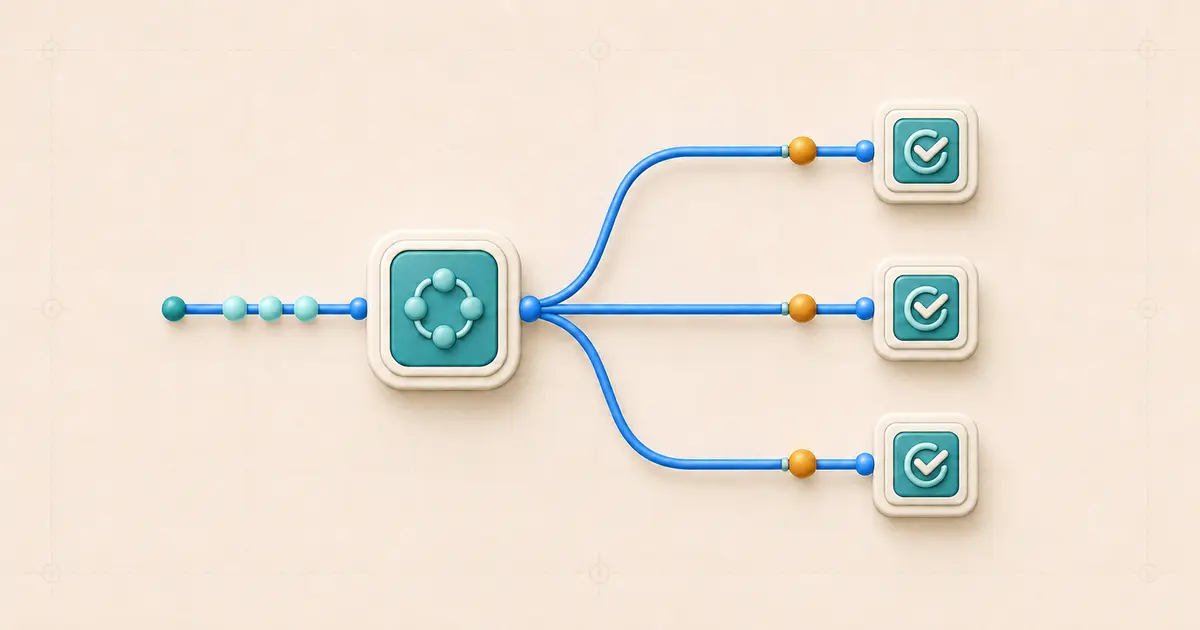
A Looping step repeats a set of one or more actions once for every value in the list you feed it. According to Zapier’s documentation, all iterations of a loop execute in parallel rather than one after another, and each iteration shows up as its own separate Zap run in Zap History. That last detail matters for task accounting: you won’t find one run with 50 nested step results — you’ll find 50 individual runs, each containing the post-loop actions for one item.
An action placed before the loop is a different story. It executes once, upstream of the fan-out, and appears in each of the resulting runs as shared context — but it’s only actually billed the one time it ran. The repetition belongs entirely to the actions positioned after the Looping step.
Ten-item model
Synthetic shape: trigger → one CRM lookup before the loop → Looping step with 10 items → one email action after the loop.
0 trigger
+ 1 pre-loop CRM lookup (billed once, not per iteration)
+ 0 Looping step (task-free)
+ (10 × 1 email action) = 10
= 11 tasks
This assumes the lookup and the email action are both ordinary one-task actions that succeed every time. It’s a modeled estimate based on the documented per-iteration rule, not a measured result from any account — an errored email attempt on one or more iterations would lower the actual total, since errored actions never count.
Two-action, 25-item model
Synthetic shape: a 25-item loop feeding two ordinary actions after it — for example, Create Row in a spreadsheet followed by Send Message in a chat app, both mapped from the same loop item.
25 items × 2 successful actions per item = 50 downstream tasksAdd any separately billable pre-loop actions on top of that 50 — they’re billed once regardless of loop size, following the same logic as the ten-item model above. This is arithmetic modeling based on the documented per-action, per-iteration rule; it assumes both actions succeed on every single iteration, which a real list with imperfect data may not achieve.
Filtered loop model: 100 inputs, partial pass-through
Synthetic shape: 100 items enter a loop; a Filter step positioned after the loop lets 60 of them continue to one ordinary action, while 40 are stopped by the filter.
Filter steps never count toward task usage under Zapier’s documented exemptions, whether they pass an item through or stop it. Combined with the one-task-per-successful-action assumption, that leaves an estimate of 60 downstream tasks — one for each item that clears the filter and reaches the ordinary action, and zero for the 40 that don’t. This is design-level arithmetic, not a measured run; it deliberately ignores the pre-loop and Looping-step costs already covered above, and it assumes the surviving 60 actions all succeed.
Reusable formula
Generalizing the three models above into a formula you can reapply to your own Zap:
Total tasks
= (billable pre-loop actions, counted once)
+ (0 for the Looping step itself)
+ sum across all iterations of (successful billable post-loop action runs)
Any task-free step positioned after the loop — Filter, Paths, Formatter, Delay — contributes zero to that sum regardless of how many iterations reach it. Only ordinary successful action steps, at their documented one-task rate, add to the total. Nonstandard-rate products change the sum’s per-unit cost rather than the formula’s shape; see the limitations section below.
For a reusable monthly model, enter the expected iteration volume and successful downstream action counts in the Automation Usage Calculator, then reconcile the result against a controlled sample.
- List every action positioned after the Looping step and confirm which ones are ordinary billable actions versus task-free tools.
- Estimate each billable post-loop action’s successful run count — list length multiplied by the expected success rate — then apply that action’s documented task rate.
- Add any pre-loop billable actions once, not once per iteration.
- Sum the pieces to get the formula’s total, then compare that estimate against a small sample run’s actual Task usage before scaling up.
Parallel execution, ordering, rate limits, and idempotency
Because loop iterations run in parallel rather than sequentially, nothing in the documentation promises a completion order across iterations, and nothing guarantees that side effects in one iteration finish before another iteration’s side effects begin. If your post-loop actions write to an external system that depends on order — sequential invoice numbers, a running balance, a rate-limited API — parallel execution is a design constraint you have to account for separately, not something Looping manages for you.
This also means loop-driven Zaps can generate a burst of near-simultaneous requests against the same third-party API. If that app enforces a rate limit, a large loop can trigger throttling or errors on some iterations independent of your task budget. None of this is a Zapier-documented behavior of the receiving app; it’s a design risk worth testing for before scaling a loop to its full expected size.
Beta limitations and nonstandard task rates
Two things about Looping by Zapier are worth rechecking close to publication, since both are stated as current rather than permanent: the feature is documented as an open beta release, meaning it’s available but still subject to change, and the current maximum is 500 loop iterations per Looping step, with nested loops not supported at all.
Keep the arithmetic in this article limited to ordinary one-task action steps. Products with their own documented task rates — AI by Zapier (rate depends on model tier), Code by Zapier with extended runtime, Zapier Lead Router (5 tasks per successful lead routed), and Zapier MCP (2 tasks per successful tool call) — do not follow the plain one-task-per-action assumption used throughout this article and would need to be modeled separately using their own documented rates.
Common counting mistakes
- Treating the whole loop as “free” because the Looping step itself doesn’t bill, while ignoring that every downstream action still bills per iteration.
- Forgetting that a pre-loop action is billed once, not once per resulting run, even though it appears in every iteration’s run details.
- Assuming a failed action on some iterations “saves” tasks in a way that’s desirable — an errored action is an incomplete outcome, not a cost optimization.
- Confusing intentional Looping with an accidental trigger-action feedback loop; they are unrelated mechanisms with different causes and different fixes.
- Assuming iteration order is guaranteed because the Zap editor displays iterations in a list — execution is parallel, and order is not documented as preserved.
Verification and reconciliation
- Run a small, controlled sample — a handful of items rather than the full expected list — before scaling the loop up.
- Open Zap History and confirm the run count matches the number of loop iterations you expected to see.
- Check each iteration’s post-loop action status individually; a partial failure in one iteration won’t be visible from the aggregate task total alone.
- Reconcile the sample’s actual Task usage figure against the formula’s predicted total before trusting the formula for the full-size run.
FAQs
Does the Looping by Zapier step itself ever use a task?
No. It’s on Zapier’s documented list of task-free steps regardless of how many items it loops through.
If my loop runs 30 times but only 20 actions succeed, how many tasks does that use?
Assuming there is one ordinary one-task action after the loop and all other steps are exempt, 20. Only successful action runs count, so the 10 that errored or did not run add zero.
Can I nest one loop inside another to process more than 500 items?
No. Nested Looping steps are not supported, and a single Looping step currently tops out at 500 iterations per the documentation checked for this article.
Recheck this limit before publishing, since it’s explicitly called out as the current, not permanent, maximum.
Do all loop iterations finish in the order they appear in the list?
Not by documentation. Iterations execute in parallel, and no completion order is guaranteed.
Does a Filter step placed after a loop change the task math?
No — Filter steps are task-free whether they pass an item through or stop it. Only the ordinary action steps that come after the filter add to the total, and only for the items that clear it.
Sources and change log
- How is task usage measured in Zapier? — source confirming Looping is on the documented list of task-free app steps.
- Understanding Looping by Zapier — source for parallel execution, per-iteration Zap runs, the pre-loop vs. post-loop task distinction, the 500-iteration maximum, the no-nested-loops rule, and the open-beta status.
- Loop your Zap actions — source for the per-iteration Zap run behavior referenced when describing Zap History reconciliation.
- View and manage your Zap history — source for the run-status terminology used in the verification section.
- Zap is stuck in a loop — used only to support the distinction between intentional Looping and an accidental trigger/action feedback loop, not for task-rate claims.
Documentation checked on 7 August 2026. Change log: initial publication, MetaFlowKit Batch 007.