Fast answer
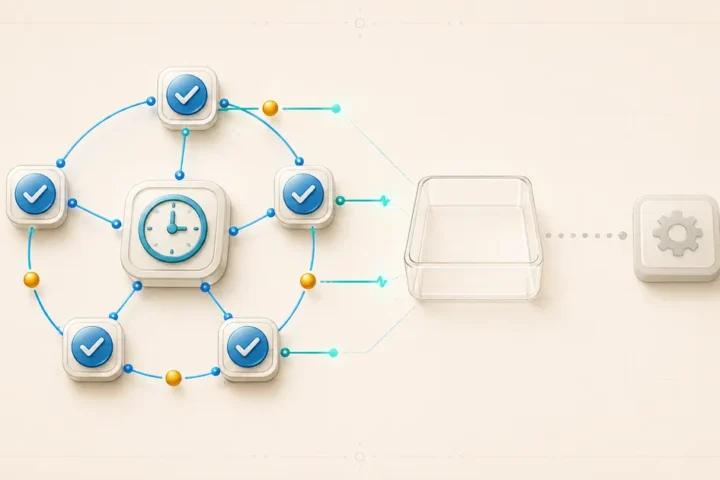
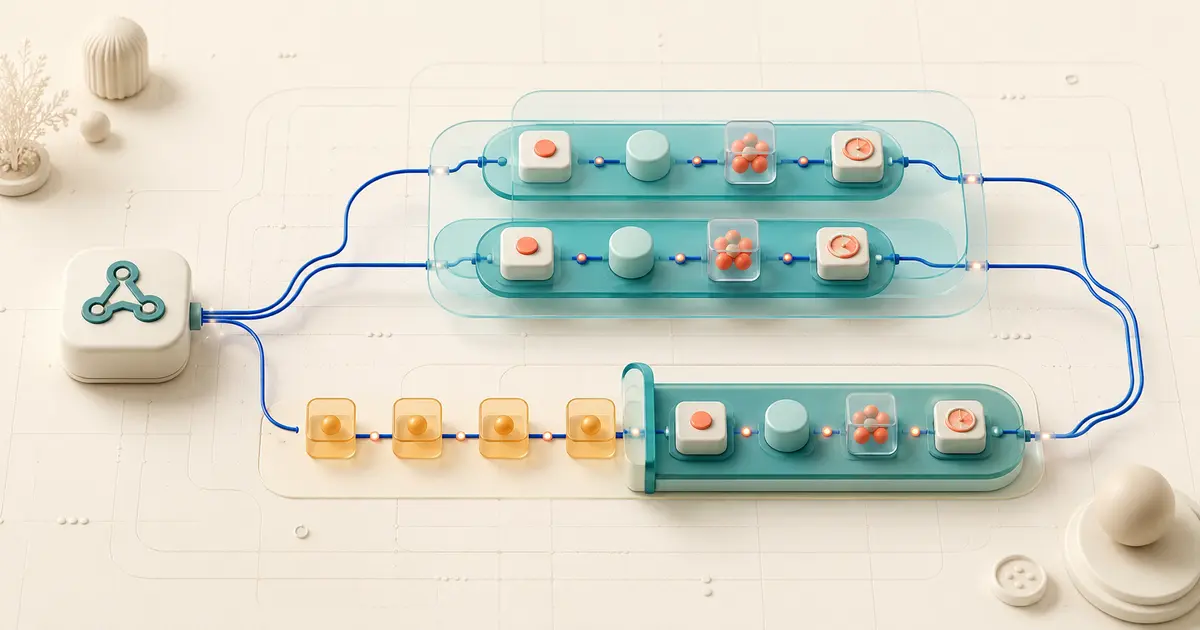
Make processes instant webhook requests in parallel by default: each accepted request can start its own scenario execution, and executions can overlap in time. Enabling Process data in order changes this so Make finishes one execution before starting the next, and pauses new runs while an incomplete execution is waiting to be resolved. Neither setting proves whether two log entries represent two separately accepted requests or one request producing multiple result bundles. Choose ordering for sequence-sensitive work, and pair it with idempotent downstream logic rather than treating queue order as a duplicate-prevention control.
Documentation verified on 9 August 2026 against Make’s official Help Center. This guide describes documented platform behavior and a documentation-derived model; it does not report results from a controlled lab or a live production account.
The request-to-effect model
Separate five things before diagnosing overlap or ordering problems: the inbound request, the queue item Make creates from it, the scenario execution that processes queued data, the bundle a module outputs, and the downstream business effect in a connected app. Do not assume these layers always map one-to-one: Make’s webhook details expose parsed items, and modules inside an execution can emit multiple bundles. Conflating the layers is a common reason teams misdiagnose two accepted requests, multiple bundles, or two scenarios as the same kind of “duplicate.”
A webhook is an instant trigger: Make stores each incoming request in that webhook’s queue and starts processing as requests arrive, rather than waiting for a schedule. This is different from a polling trigger, which checks a connected app for new records on an interval. Because webhook requests can arrive faster than one execution finishes, Make’s default handling and the Process data in order setting exist specifically to manage that queue. The Make platform hub keeps this queueing guide separate from the site’s usage-counting guides.
Parallel by default
By default, Make processes accepted webhook requests in parallel, so two distinct requests can have scenario executions that overlap in wall-clock time. This is a documented default for instant triggers, not a queuing accident, and it is the reason two webhook-triggered runs can appear to be “racing” each other in scenario history.
Use one synthetic timeline to picture it, labeled here as a documentation-derived model rather than a measured test: request A arrives at 12:00 and its execution runs for five minutes, finishing at 12:05. Request B arrives at 12:03. In parallel mode, B’s execution starts immediately and overlaps with A’s from 12:03 to 12:05, so both executions are active at the same moment. In ordered mode, B is held in the queue and does not start until A’s execution finishes at 12:05.
Parallel processing by itself does not tell you whether Make received the same event twice. It only describes execution timing. Two overlapping executions could reflect two legitimately different source events, and treating overlap as proof of a duplicate event skips the evidence step covered later in this guide.
What Process data in order changes
Enabling Process data in order in scenario settings makes Make complete each webhook-triggered execution before starting the next one from the same webhook’s queue, so executions no longer overlap. If an incomplete execution is present for that scenario, Make also postpones new runs until every incomplete execution is resolved, which keeps the sequence intact rather than letting later requests jump ahead of an unresolved failure.
What it does not change is just as important. Ordered processing does not inspect request content, does not merge or drop requests, and does not coalesce two accepted requests into one execution. If the webhook queue holds two distinct accepted requests, sequential processing still runs both of them, one after the other, with the same downstream effects each would have produced individually. Ordering is a scheduling guarantee about execution sequence, not a filtering or matching guarantee about request content.
Scheduled webhook processing is a related but separate mode: Make accumulates requests until the schedule criteria are met, then processes queued requests according to the webhook’s maximum number of results setting. Instant-trigger modules use a separate maximum number of cycles parameter for comparable processing control. Enabling Process data in order on an instant webhook is not the same as scheduling a webhook queue; the two configurations solve different timing problems.
Evidence matrix
Before changing a setting, match what you are actually seeing against one of these patterns. Each row is a distinct evidence signature, and mixing them up is the fastest way to apply the wrong fix.
| Observed signal | What it typically indicates | What to check next |
|---|---|---|
| Two separate entries in the webhook log for the same source event | The sending service likely delivered the event twice, or a retry occurred upstream | Compare request timestamps and any request identifiers in the raw payload |
| Two overlapping scenario executions in scenario history | Parallel processing is active and default timing behavior, not evidence of a duplicate request by itself | Confirm whether each execution maps to a distinct accepted request |
| One execution, multiple bundles from one module | A module such as an iterator or a source array produced multiple items from a single request | Inspect the module’s input bundle count, not the execution count |
| Growing queue depth, rising execution start delay | Arrival rate is exceeding sequential processing capacity, typically after enabling ordering | Measure average execution duration against request arrival rate |
| Duplicate records in the destination app | Could originate from any row above, or from the destination action’s own create-vs-update behavior | Correlate destination record timestamps back to a specific execution ID |
Instant vs. scheduled webhook queues
Instant webhook processing and scheduled webhook queue processing use the webhook queue with different triggering logic. With instant processing, an accepted request can start an execution as soon as it arrives, subject to the parallel or ordered setting already described. With scheduled processing, requests accumulate until the defined schedule runs, and Make processes queued requests according to the webhook’s maximum number of results.
Do not treat these as interchangeable when troubleshooting. A backlog on an instant, ordered scenario can indicate that requests arrive faster than sequential executions finish. A backlog on a scheduled webhook can instead reflect the schedule interval or a maximum number of results that is too low for the arrival rate. For other instant-trigger modules, Make documents maximum number of cycles as the corresponding setting. Confirm the trigger type and mode before changing either value.
The Webhook Response module, where present, only affects what Make sends back to the calling service after processing; it is documented to that depth only. Moving a response step earlier or later in a scenario does not, on its own, control whether the sending service retries its own delivery. Upstream retry behavior is defined by the sender, not by where Make places its response.
Parallel or ordered: a decision matrix
| Situation | Better fit | Trade-off to accept |
|---|---|---|
| Downstream steps must reflect events in the order they occurred (status transitions, running balances) | Process data in order | Higher waiting time per request; a stuck execution can delay the whole queue |
| Requests are independent of each other and order does not affect correctness | Parallel (default) | Simultaneous downstream load on connected apps; higher chance of racing writes |
| Downstream app has strict per-second rate limits | Ordered processing may help, combined with deliberate pacing | Throughput is constrained by sequential execution time and pacing |
| High-volume, high-frequency source with no ordering requirement | Parallel (default) | Requires idempotent downstream design if the source ever redelivers |
The safe general conclusion, treated here as a production design recommendation rather than a documented Make guarantee, is to pick ordering only where sequence genuinely matters, and to pair either mode with an idempotent or deduplicated downstream action so a repeated source event does not produce a repeated business effect.
Evidence-first configuration sequence
Change the setting only after you have evidence, not before. This sequence keeps the change reversible and measurable.
- Open scenario history for the affected scenario and pull recent runs, noting start and end times for each execution.
- Calculate average execution duration and compare it against the observed arrival rate of webhook requests over the same window.
- Confirm the actual business requirement: does a later request depend on the result of an earlier one, or are requests independent?
- If ordering is warranted, enable
Process data in orderin scenario settings on a duplicated scenario copy or during a defined low-traffic window rather than directly on the live production scenario. - Re-run representative traffic and confirm executions no longer overlap in scenario history, then monitor queue depth for the next several cycles.
Use this verification checklist once the change is live:
- Scenario history shows non-overlapping execution start and end times for consecutive runs.
- No unresolved incomplete executions are blocking new runs from starting.
- Queue depth is stable rather than continuously growing over a representative period.
- A synthetic, non-production business key can be traced from request to a single downstream record.
Estimating how enabling ordering affects credit usage under load is a usage-accounting question, not a reliability question; the Automation Usage Calculator and Make’s how features use credits documentation cover that separately from the ordering decision itself.
Why ordering is not deduplication
Sequential processing is a scheduling guarantee, not a business-key lock or an idempotency guarantee. If the webhook queue receives two distinct accepted requests for the same underlying order or customer, ordered processing still runs both executions, one after the other, and both can still write to a downstream app unless something in the scenario explicitly checks a stable identifier first.
This distinction matters because ordering can create a false sense of safety. A team that enables Process data in order to “fix duplicates” may see the immediate racing behavior disappear, while the underlying cause, such as an upstream service sending the same event twice, keeps producing two separate accepted requests that Make now simply processes one after another instead of simultaneously. The queue behavior changed; the duplicate-cause did not.
Deduplication and idempotency require the scenario itself to check a stable synthetic key, such as a source system’s own event or order identifier, against what has already been written downstream, typically through a lookup or a find-or-create style action before the write step. For deeper background on how Make counts the operations involved in that kind of check, see How Make Operations Work.
FAQ
Does enabling Process data in order stop Make from receiving duplicate webhook requests?
No. It changes when Make starts each execution relative to the previous one; it does not filter, inspect, or reject incoming requests.
Can two overlapping executions in scenario history mean the same event arrived twice?
They can, but overlap alone is not proof. Overlap is also the expected default behavior for any two distinct requests processed in parallel, so confirm with request-level evidence before concluding a redelivery occurred.
Will ordered processing slow down a high-volume webhook scenario?
It can, because each execution must finish before the next starts. If arrival rate exceeds average execution duration, queue depth and waiting time will grow, which is a queueing inference based on the two rates rather than a fixed platform number.
Does moving the Webhook Response module earlier prevent the source app from retrying?
Not by itself. The response step controls what Make sends back to the caller; whether the caller retries its own delivery is governed by that sender’s own retry rules, which Make’s webhook documentation does not control.
Is scheduled webhook processing the same as enabling Process data in order?
No. Scheduled webhook processing accumulates requests and runs them on a defined schedule using queue and cycle settings. Process data in order changes execution sequencing for instant triggers. The two are related but distinct configurations.
Sources and change log
- Make Help Center: Webhooks
- Make Help Center: Scenario settings
- Make Help Center: Scenario history
- Make Help Center: Scenario execution, cycles, and phases
- Make Help Center: How features use credits
Change log: initial publication, documentation verified on 9 August 2026 against the sources listed above.