Fast Answer
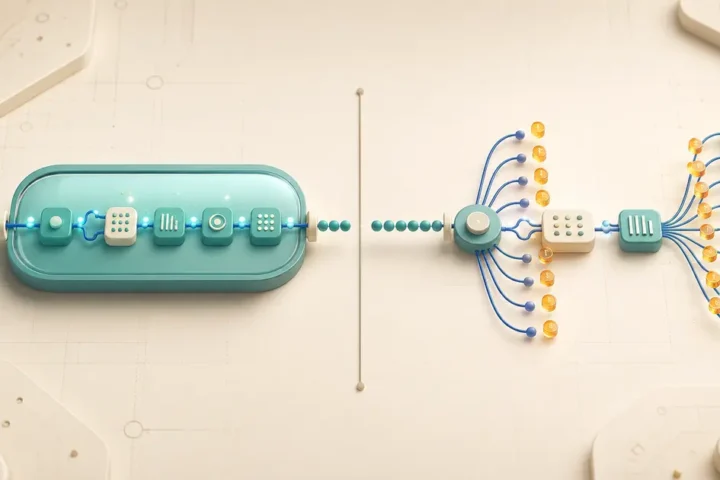
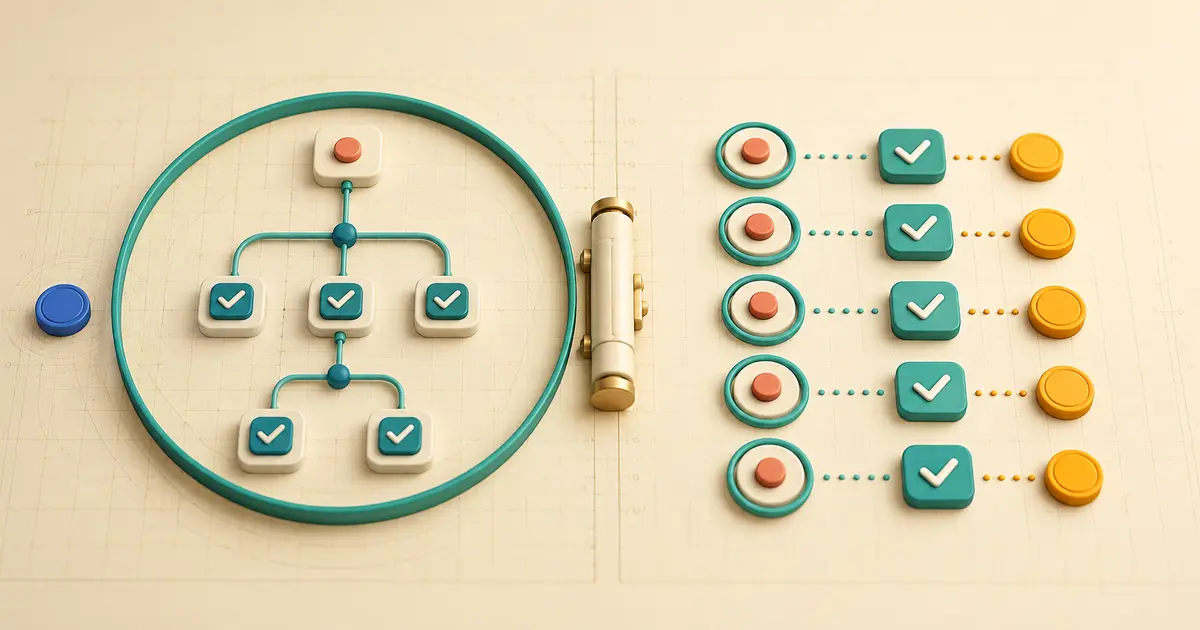
n8n’s paid-plan quota counts production workflow executions: one automatic run counts once, regardless of how many nodes or items it processes. Zapier primarily counts successful action steps as tasks; triggers are task-free, but each successful ordinary action counts. One trigger event can therefore create one n8n execution and several Zapier tasks. Ten separate events with two actions each can total ten executions versus twenty tasks. If the same ten records arrive in one deliberately batched event, n8n can remain at one execution while two successful actions per item still produce twenty Zapier tasks.
n8n Production Execution versus Zapier Task
Per n8n’s documentation on understanding executions, only production executions, meaning runs started automatically by a trigger, schedule, or polling node, count toward a paid plan’s execution quota. A workflow that processes one item and a workflow that processes a thousand items in the same run both count as one execution.
Per Zapier’s task usage documentation, a task is any successful action step that runs, subject to documented exemptions for trigger steps, Filter and Paths steps, steps that never run, and a short list of nonstandard-rate products. MetaFlowKit’s n8n platform hub and Zapier platform hub cover each platform’s broader usage model beyond this single comparison.
| Unit | Counts | Does not count |
|---|---|---|
| n8n production execution | One complete run of a workflow, started automatically by a trigger, schedule, or polling node | Manual editor runs, sub-workflow runs, error-workflow runs, polls that return no data |
| Zapier task | One successful ordinary action step that runs in a Zap | Trigger steps, Filter/Paths steps, steps that never run, steps that error or halt |
Where Each Platform Places the Counting Boundary
n8n counts at the level of the whole workflow run. The way executions are counted depends on the trigger type: a Schedule Trigger counts one execution every time it fires regardless of outcome, a polling node like a database or file-storage trigger counts one execution only when it finds new data, and a Webhook Trigger counts one execution for every inbound request that activates it, including requests with an empty body. In every case, everything that happens after the trigger, however many nodes, branches, or items, stays inside that single counted execution.
Zapier counts at the level of each individual successful action. The trigger step that starts a Zap never uses a task, no matter how frequently it polls or how many events it detects across a billing period. Each ordinary action step downstream of the trigger uses one task when it completes successfully, so a single trigger event that fans out into several actions can generate several tasks from one event.
This difference in boundary is the entire reason the two totals diverge: n8n’s meter is anchored to the run, Zapier’s meter is anchored to the individual completed action.
Primary Model: Ten Separate Trigger Events, Two Actions Each
Assumptions: one root workflow per n8n event; both Zapier actions succeed for every event; no retries or errors. Documentation verified on 8 August 2026.
Worked arithmetic (synthetic estimate)
n8n: each of the ten separate production trigger events starts its own root workflow execution, regardless of how many nodes run inside it.
10 events × 1 = 10 production executions
Zapier: triggers never use tasks, and both ordinary actions succeed for all ten events.
10 × 2 = 20 tasks
This is unit arithmetic under stated assumptions, not cost arithmetic. It shows how the same ten business events, each triggering two downstream actions, land at very different totals because the platforms count at different points in the run.
Second Model: One Batched Trigger Event Carrying Ten Items
Now assume the same ten items arrive inside one external production event, and both platforms are deliberately built to process every item within that single trigger run.
Worked arithmetic (synthetic estimate)
n8n: one root workflow processes the entire batch inside a single production run.
1 production execution, under the simple root-run model.
Zapier: if Looping by Zapier iterates the ten items and two ordinary downstream actions succeed in each iteration, since Looping itself is task-free:
0 Looping tasks + (10 iterations × 2 actions) = 20 tasks
n8n’s total drops from ten executions to one when the same volume arrives as one batched event instead of ten separate events. Zapier’s total stays at twenty tasks either way, because Zapier counts successful actions rather than trigger events. Do not assume Zapier will automatically turn ten separate external trigger events into one line-item batch; that consolidation has to be built deliberately, typically upstream of the Zap, before the trigger fires. MetaFlowKit’s Automation Usage Calculator can model a specific event and item shape rather than relying on this generic example.
Zero-Action, Filtered-Path, Error, Replay, and Sub-Workflow Boundary Cases
Zero successful actions. An event that reaches Zapier but produces zero successful actions after the trigger, for example because a Filter step stops it, can use zero tasks past the trigger. The corresponding n8n workflow may still register as a production execution if it started automatically, even if it ultimately takes no external action. The exact classification depends on how that specific workflow is built and must be verified in usage rather than assumed; do not conflate an n8n polling trigger that finds no new data, which does not start an execution at all, with a production workflow that does start and then simply takes no further action once running.
Filtered paths. In Zapier, Filter and Paths steps are themselves task-free, but each successful ordinary action that actually runs on a chosen path still counts. In n8n, branches evaluated inside the same root run do not by themselves create new plan executions; the run remains one execution regardless of how many branches it evaluates. Explicit separate root workflows, each triggered independently, are what create additional execution boundaries.
Sub-workflows. Per n8n’s documentation on breaking workflows into smaller parts, sub-workflow executions do not count toward a plan’s monthly execution or active-workflow limits; only the parent, top-level execution counts. This supports modular workflow design, but it is not a basis for splitting workflows purely to evade quota limits, since the compute and any downstream calls still run regardless of how the quota counts them.
Replay and retries. Per Zapier’s documentation on replay, any successful steps in a replayed Zap run count toward task usage again, even if they were already counted in the original run. n8n’s equivalent retry or re-execution behavior must be verified against its actual production or manual classification in a given account; do not assume a universal one-to-one equivalence between a Zapier replay and an n8n retry, since the two systems do not document identical retry semantics.
Why Batching Can Change Usage Without Changing Required Business Behavior, and When It Cannot
Batching changes which meter absorbs the volume, not the amount of real-world work being done. Consolidating ten separate trigger events into one batched event reduces n8n’s execution count because n8n counts runs, not items. It does not reduce Zapier’s task count in the models above, because Zapier counts successful actions regardless of how those actions were grouped into runs upstream. Batching is a genuine usage lever on the execution-counted side and a much weaker lever on the action-counted side, since the same number of ordinary actions still has to complete for the same number of items.
Batching cannot change usage without changing behavior when the business requirement genuinely depends on per-event timing, for example when each event needs to be acknowledged or acted on individually and promptly. Artificially delaying or grouping events purely to reduce a usage total can introduce the exact side effects covered in the safety note below.
Nonstandard Rates and Costs Deliberately Excluded from the Simple Model
The arithmetic above intentionally excludes several real costs that do not follow the simple per-execution or per-task pattern. On the n8n side, AI Assistant credits where applicable, plus external model or API charges triggered inside a workflow, are separate from the paid-plan execution quota; a workflow can be light on executions and still incur meaningful external charges. On the Zapier side, nonstandard task rates apply to specific products; per Zapier’s task usage documentation, Zapier Lead Router counts five tasks per successful lead routed and Zapier MCP counts two tasks per successful tool call, with failed MCP tool calls excluded from task usage. These are mentioned here only to prevent false equivalence between the simple execution/task counts and the full cost of running either platform.
Workload-Shape Decision Matrix
| Workload shape | Effect on n8n executions | Effect on Zapier tasks |
|---|---|---|
| Many small, frequent events | Grows one-for-one with event count | Grows with event count multiplied by successful actions per event |
| One batched event, many items | Stays low; batch size does not add executions | Grows with item count multiplied by actions per item, typically via Looping |
| Deep branching, few actions per branch | Stable inside one root run | Grows only on actions that actually run on the chosen path |
| Frequent retries or replays | Depends on the workflow’s actual retry/production classification; verify before estimating | Grows, since a replayed Zap’s successful steps count again |
The general pattern: n8n’s execution meter rewards consolidating volume into fewer, larger production runs; Zapier’s task meter is largely indifferent to how items are grouped upstream and instead tracks the number of successful actions actually performed.
Common Counting Mistakes
- Assuming one n8n execution equals one Zapier task, when the two are anchored to different boundaries.
- Counting n8n nodes or items as separate executions instead of counting how many times the workflow started.
- Assuming Zapier will automatically batch separate trigger events the way an n8n root workflow can batch items inside one run.
- Treating a filtered-out Zap run and a no-data n8n poll as the same event, when only the latter avoids starting an execution at all.
- Assuming an n8n retry and a Zapier replay follow identical counting rules without checking each platform’s actual documented classification.
Verification and Reconciliation
Treat n8n’s execution list and Zapier’s Zap History and Task usage view as the source of truth for real usage, and reconcile them against a shared reference point rather than comparing totals in isolation.
- Assign a shared business event ID or reference number that both systems can be filtered or searched against.
- Pick a common date window that covers the same business activity on both platforms.
- In n8n, filter the Executions list by start time and review each production execution’s node path.
- In Zapier, filter Task usage by the same date window and review the task multiplier breakdown if Lead Router, MCP, or AI steps are in use.
- Match totals against your structural model (event count, items per event, actions per item) and investigate any gap before assuming the model is wrong.
- Confirm which n8n trigger type is in use, since schedule, webhook, and polling triggers count differently.
- Confirm whether any Zapier step in the Zap uses a nonstandard task rate.
- Confirm the date window and event definitions are identical before comparing totals across platforms.
Frequently Asked Questions
Does a Zapier trigger ever count as a task?
No. Trigger steps never use tasks under current documentation, regardless of polling frequency or how many events they detect.
Does adding more nodes to an n8n workflow increase its execution count?
No. An execution is counted per run of the workflow, not per node, so adding nodes to the same production run does not add executions.
Can batching turn ten Zapier trigger events into fewer tasks?
Not by itself. Zapier counts successful actions, not trigger events, so batching upstream of the trigger does not reduce the task count for the same number of downstream actions unless the batching also reduces how many actions actually run.
Do n8n sub-workflow executions count toward the paid-plan quota?
No. Documented sub-workflow executions do not count toward a plan’s monthly execution or active-workflow limits; only the parent, top-level execution counts.
Does replaying a Zap use tasks again for steps that already succeeded once?
Yes. Any successful steps in a replayed Zap run count toward task usage again, even if they were already counted in the original run.
Sources and Change Log
- n8n Docs: Understand executions
- n8n Docs: Types of executions
- n8n Docs: Break workflows into smaller parts
- Zapier Help Center: How is task usage measured in Zapier
- Zapier Help Center: View and manage your Zap history
- Zapier Help Center: Understanding Looping by Zapier
- Zapier Help Center: What is replay
Change log: initial publication, documentation verified on 8 August 2026.